What it does
Everything for the trip, on the phone
An Atlas for each trip
Choose exactly the area you need: a trail corridor, a park or a whole region. Download it at home and everything works in airplane mode.
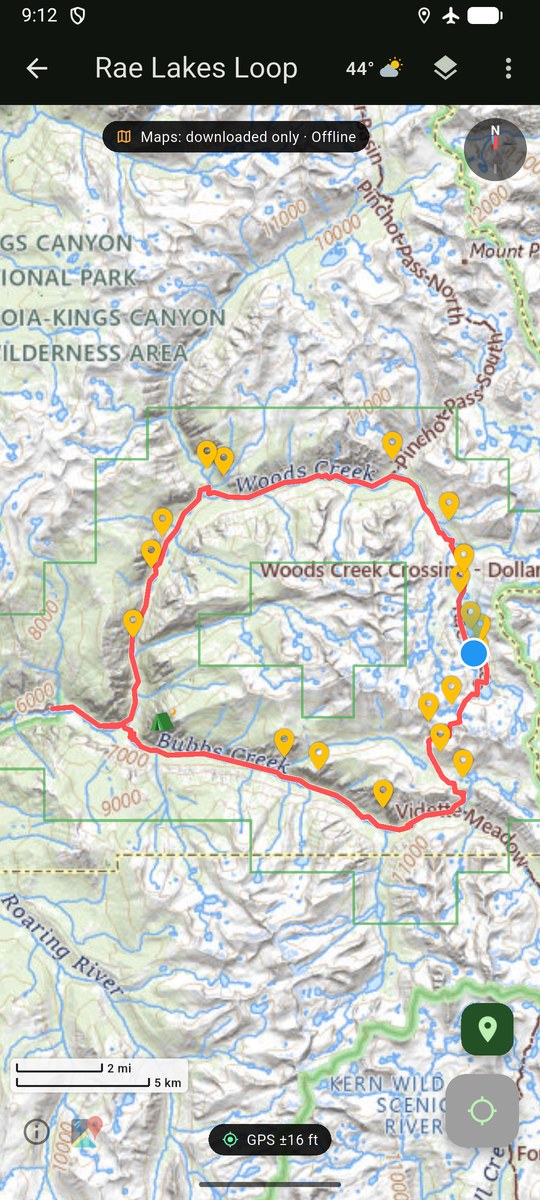
Maps made for the backcountry
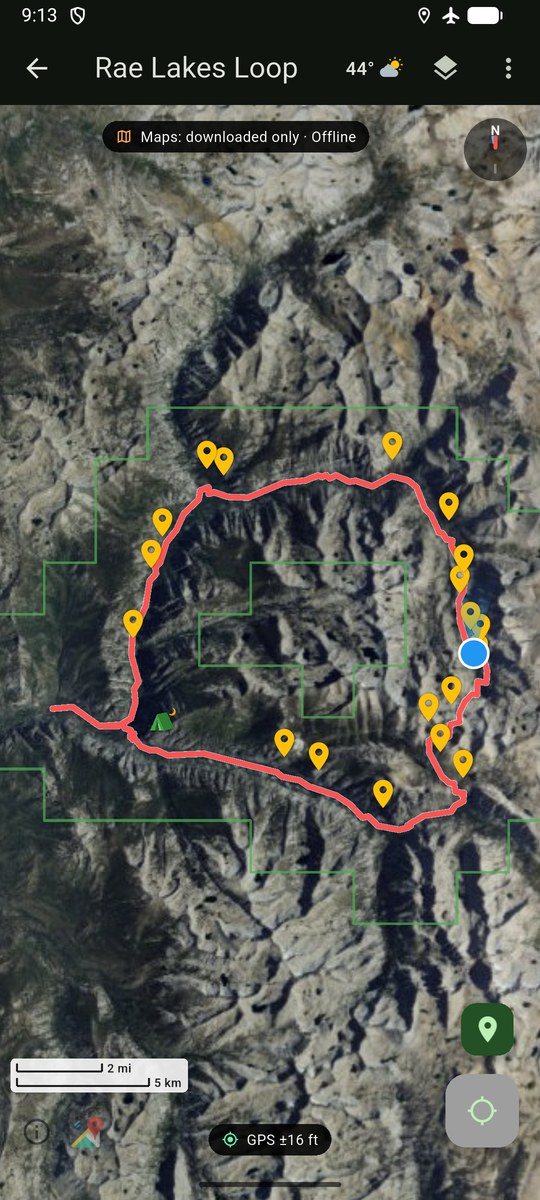
GetMapGo Topo, our own US map with terrain shading and 40 ft contour lines, plus USGS topo maps and aerial imagery and US Forest Service roads, trails and wilderness areas.
Routes that follow real trails
Tap along a trail and the route snaps to the mapped path. Routing runs on the phone, over the trails you downloaded.
Follow a route
Follow a route on the map and see your progress, and flip it for the way back.
Record your track
GPS track recording with a battery saver mode, and elevation profiles worked out on the phone.
Field Ready check
Before you leave, one check tells you whether the maps and data your trip needs are on the phone.
Weather and sun
National Weather Service forecasts for your trip when you have signal, and sunrise and sunset times.
Import and share
Bring in GPX, KML and KMZ files, including map overlays. Share an Atlas with your group as one small file.
Journeys
Chain several Atlases into one multi-day trip.
Get the beta
Try it on your phone
The beta is free on both platforms. Things may change or break, and feedback is very welcome.
Join the TestFlight beta
- Open the link on your iPhone.
- Install Apple's TestFlight app if it asks.
- Tap Accept, then Install.
Get an invite by email
The Android beta goes out by invite through Google Play. Use the email of the Google account on your Android phone, and we'll send one, plus occasional updates: launch news and new tools. No spam, unsubscribe anytime.

Questions or bugs? Join us on Discord.
Plan on a big screen first
Draw routes that follow real trails, add waypoints and side trips, check distance and elevation, then save the Atlas and open it in the app. Print, in the same place, turns the Atlas into a PDF map set for your pack.
Open Plan →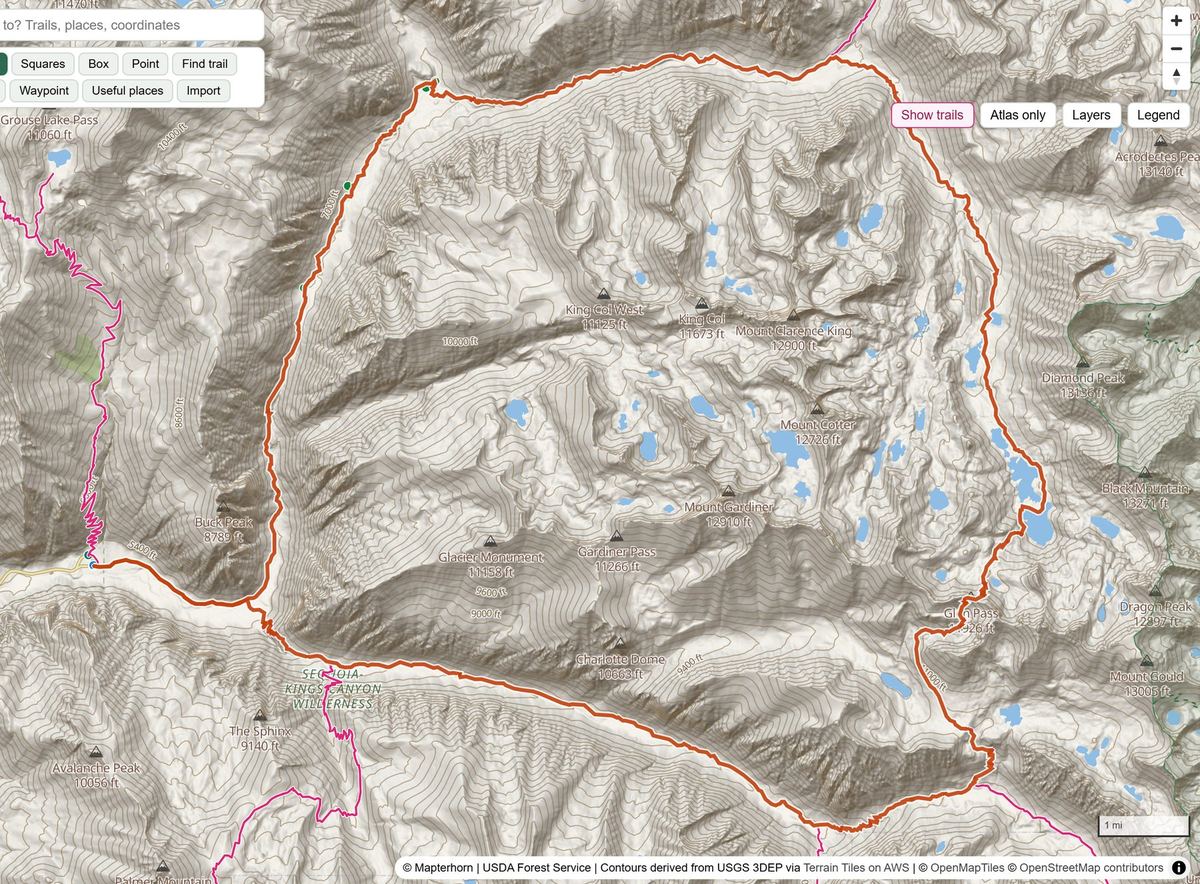
Across the United States
GetMapGo's maps and trail data cover the United States.
No account
Your Atlases, tracks and location stay on your phone. Read the privacy policy for the details.
Questions
Good to know
- Does GetMapGo work without cell signal?
- Yes. Download an Atlas before you go. Its maps, trail routing, track recording and route following work in airplane mode, because GPS does not need a cell signal.
- What is an Atlas?
- One file that holds the map areas, routes, waypoints and notes for a trip. You can build it in the app or in GetMapGo Plan, download its maps, and share it with your group.
- Can I use GPX, KML or KMZ files from other apps?
- Yes. Import GPX tracks, routes and waypoints, and KML or KMZ files, including georeferenced map overlays. GetMapGo Plan can export routes and waypoints as GPX.
- Where do GetMapGo's maps work?
- Across the United States, including USGS topo maps and imagery and US Forest Service data.
- Do I need an account?
- No. There are no accounts.
- Can I print a map for my trip?
- Yes. Print, part of GetMapGo Plan, turns an Atlas into a PDF map set at the scale you choose, with trip notes, a waypoint index and an optional coordinate grid (degrees and minutes, decimal degrees or UTM).